Portfolios, CVs, and the person behind them.
Show what you can do.Keep sight of what you want.
Build portfolios and CVs for the different ways you work. Keep your goals and priorities alongside them, ready to bring into conversations with the AI you choose.
howk is currently available by invitation. If you have one, open the link in your email to get started.
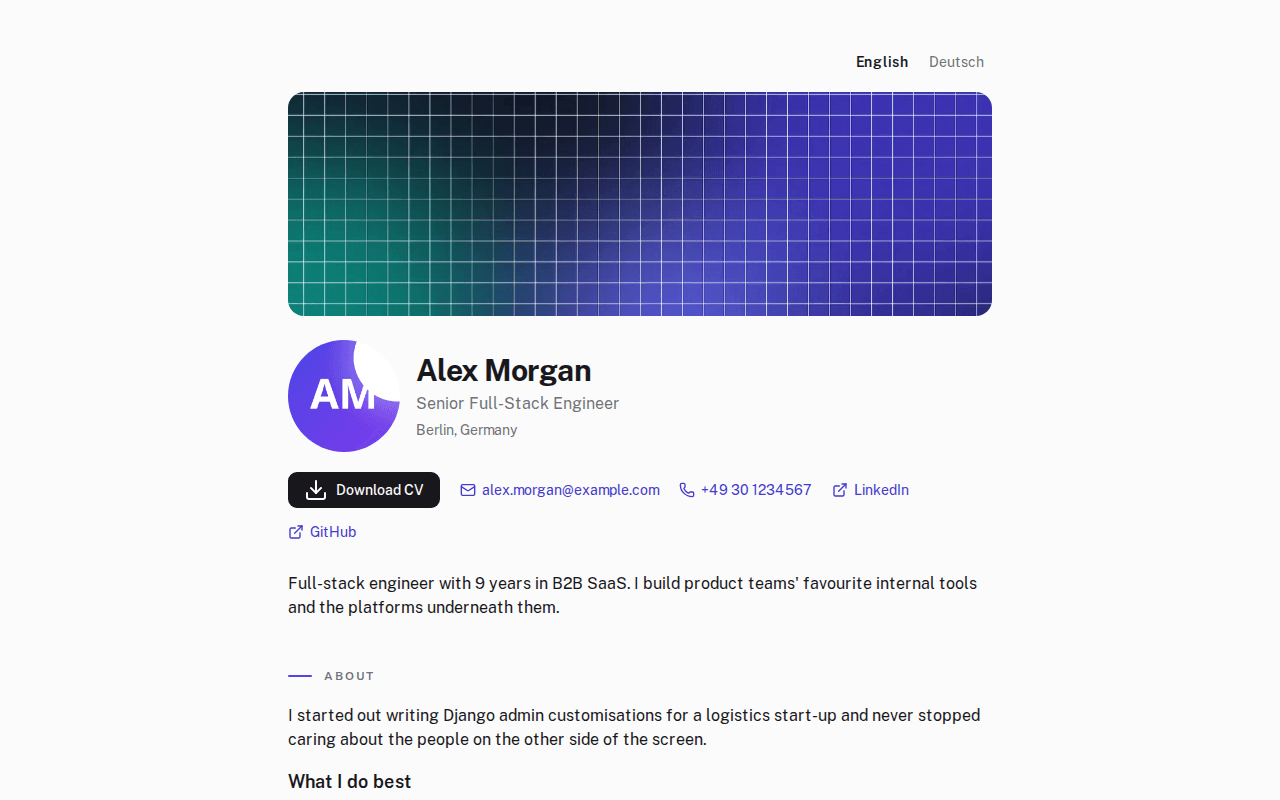
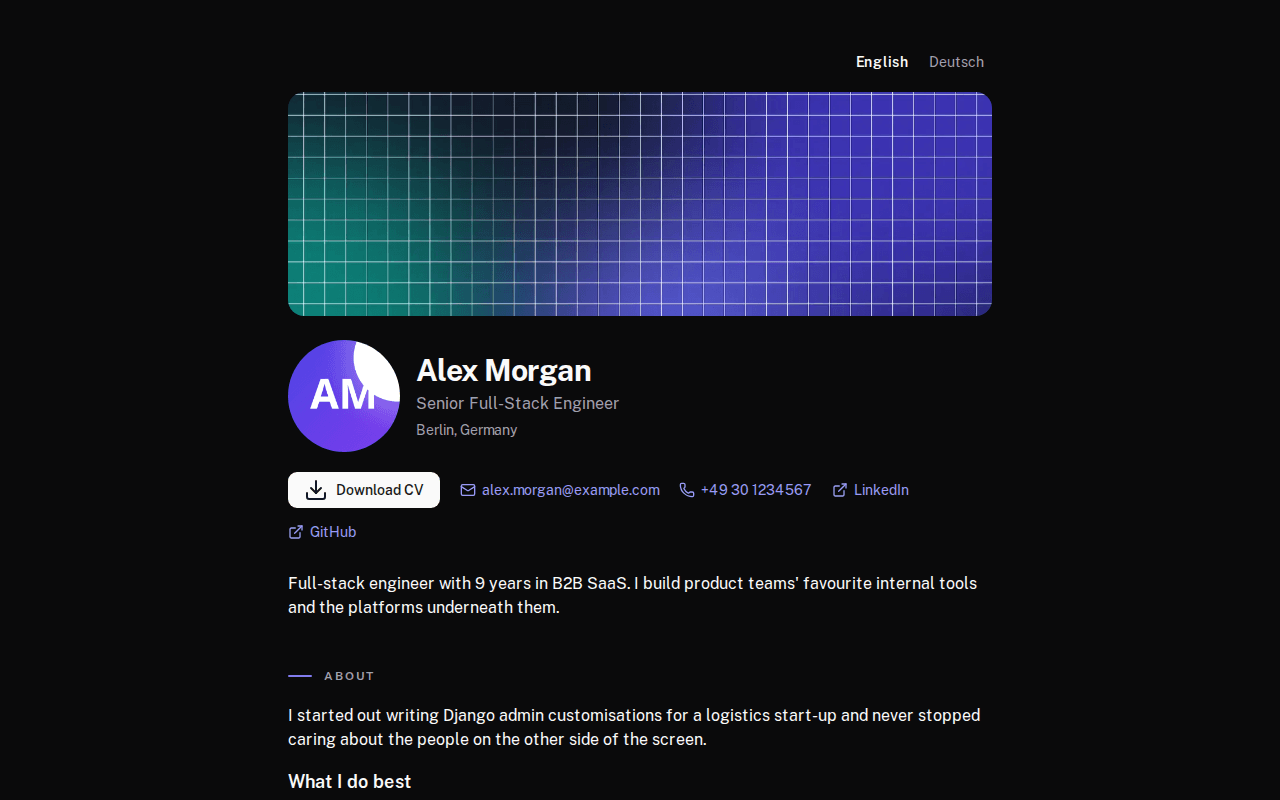
Different audiences. Your own introductions.
Introduce yourself for the opportunity in front of you.
A potential employer wants to understand your experience. A client wants to see the problems you can help solve. Give each a portfolio that speaks to them.
Create separate professional profiles in one account, each with its own content, public address, and languages. Your contacts and private Persona notes remain available across them.
Illustrative introductions for Alex Morgan, a fictional professional.
For employers
“An engineer who brings products and teams forward.”
Lead with engineering experience, collaboration, and the projects you have delivered.
For clients
“I turn the work slowing your team down into tools that help.”
Lead with client problems, selected project work, and the services you offer.
Work across languages, too.
Maintain your portfolio in the languages you write in. Share a public page in each language and build CVs from that language’s content. You provide the translations and choose the wording.
English
I build tools that make everyday work simpler.
Deutsch
Ich entwickle Tools, die den Arbeitsalltag einfacher machen.
Persona · The context behind your next move
Your next move needs more than your work history.
You may have years of management experience and want more time making things. You may be ready for a new challenge while needing predictable hours. Those details matter, too.
A place for what matters to you.
Keep notes on the work you want, the commitments in your life, and the boundaries you want to respect. Revisit them as things change.
Your Persona belongs to you, across all your professional profiles.
- Led an engineering team
- “I want to spend more of my week building.”
- Delivered projects for international clients
- “I want predictable working hours.”
Bring that context into your next AI conversation.
Copy or download your profile’s information together with the Persona notes enabled for inclusion. Share the export with your chosen AI assistant and ask about the opportunity in front of you.
The export also includes private profile details and hidden portfolio entries. Review it before sharing. howk does not send it to an AI service automatically.
“Help me assess this role against my experience and priorities. What should I ask about hands-on work, management responsibilities, and working hours?”
You choose the AI. howk prepares the context.
Your experience, ready for an application
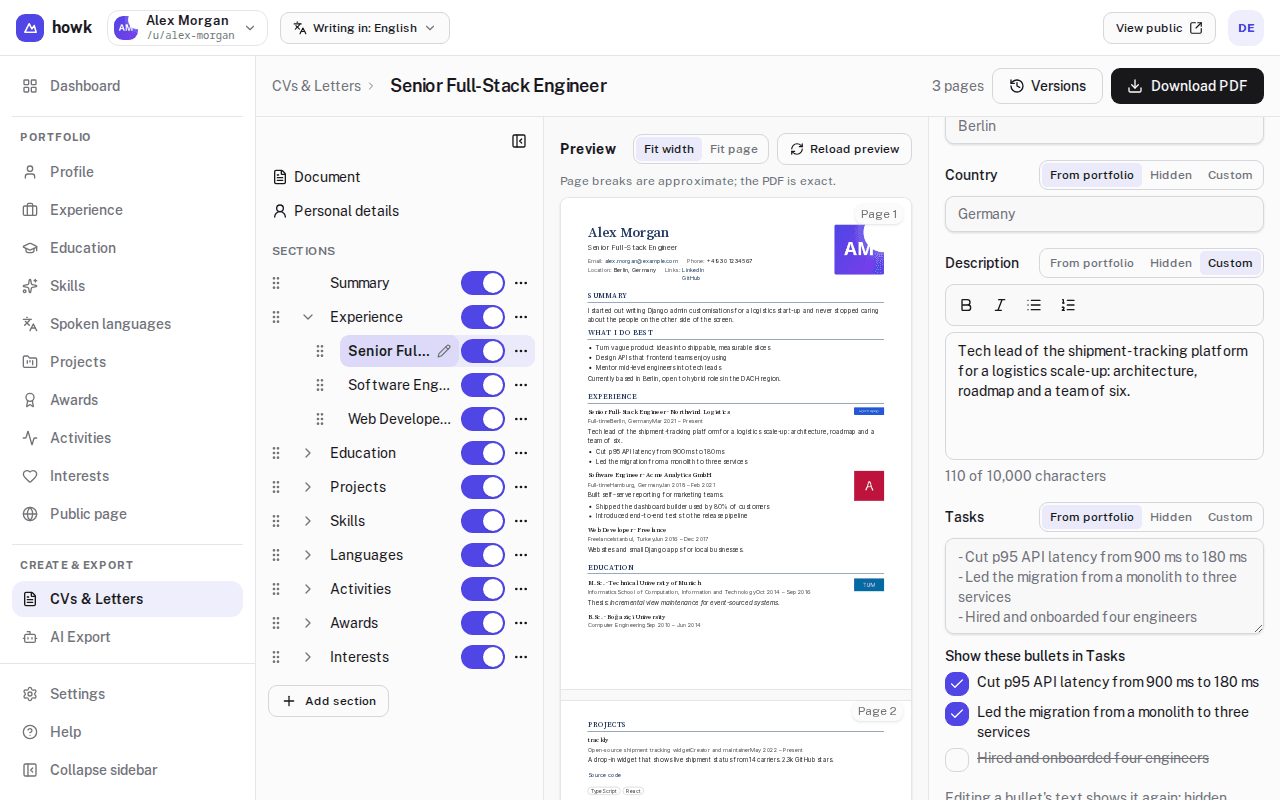
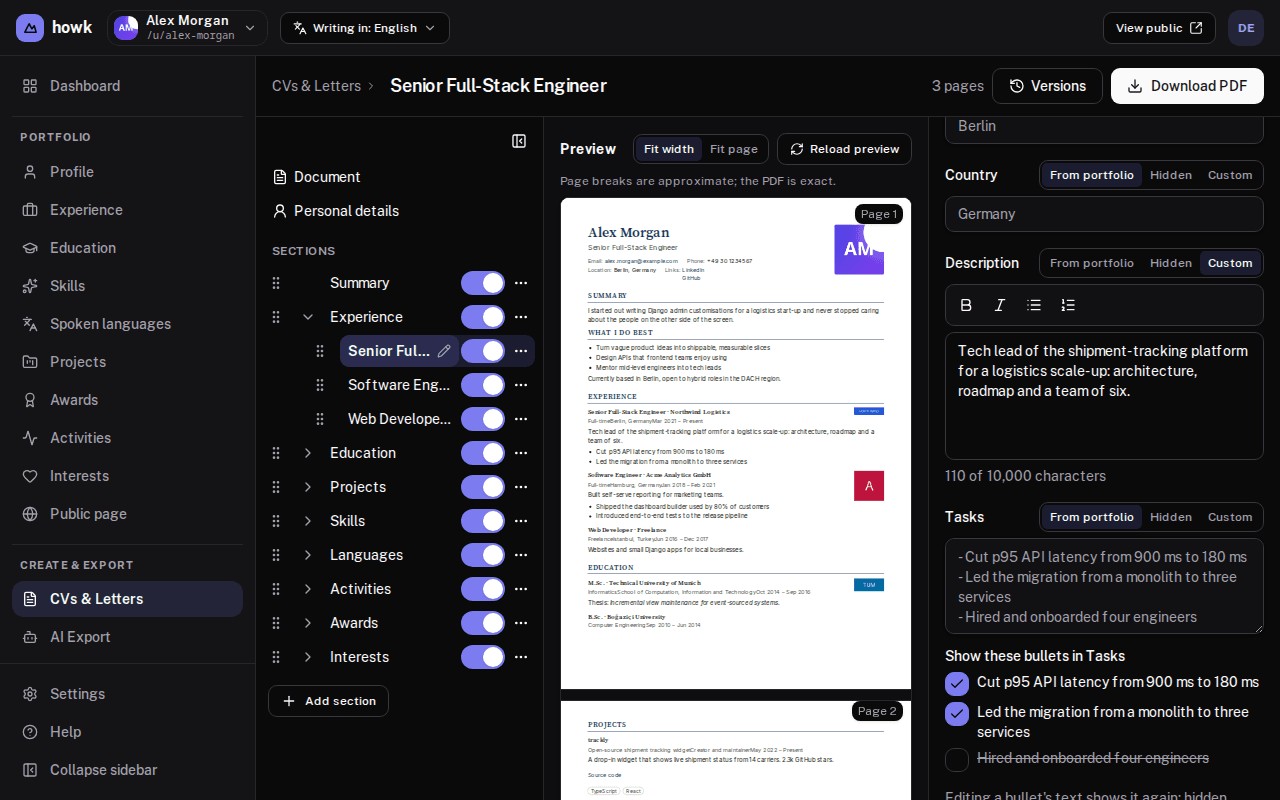
Make this application specific. Keep the version you send.
Build a CV from your portfolio. Select the experience that matters, adjust the wording for this role, and download the PDF. Tailor this CV while keeping your original portfolio text.
The interview is next week. Your CV is still there.
Lock a version before sending it and give it a name you will recognize. Return to that same document later, even after your portfolio changes.
Prepare cover letters alongside your CVs, with matching designs and saved versions of their own.
Keep building on what you have
A new project. A useful conversation. Keep both.
Update your portfolio as your work grows. Keep notes on the people you meet and a dated next step for the conversations you want to continue.
“Send my new project to Maya on Friday.”
Start with something useful
Begin with one thing you want to use.
Add a project, a role, or experience you are proud of. Build a portfolio or CV from there. Add more profiles, languages, and personal context when you need them.
- Choose when to publish and what appears on your public page.
- Keep Persona separate from public portfolios and CVs.
- Export your account data or request account deletion in settings.
A few things you might be wondering
Can I keep separate portfolios for different kinds of work?
Yes. Each profile has its own content, public address, languages, and CVs. You maintain each profile separately; changing an entry in one does not update it in another. Your contacts and Persona notes are shared across your account.
Do I have to publish a portfolio to use howk?
No. You can keep a profile unpublished while working on its content, preparing CVs, and using Persona and AI export.
Does howk translate my content?
You write the translations yourself. When a translation is missing, your primary language supplies the fallback. The app interface is available in English, German, and Turkish.
Does howk provide AI advice?
howk prepares information for an external AI assistant. It does not currently generate career advice inside the app or send your export to an AI service automatically.
What goes into the AI export?
The selected profile’s information, including private details, hidden entries, and its language versions, together with Persona notes whose inclusion setting is on. It does not include your contact history or CV and cover-letter documents. Review your Persona settings and the export before sharing it.
What happens to a CV I already sent?
A locked version preserves the document as it was. Later portfolio and draft changes do not alter that version. Add your own label or note to remember where you used it.
Is it really free?
The Free plan is the whole product with limits on capacity. Paid plans will add room; a downgrade never deletes what you made, it only stops new additions.
Do I need an invitation?
Yes, for now. Invitations come from existing members and from us; the link in the invitation email opens the registration.
Make room for the work you want next.
Start with your experience. Give it an introduction you can share, and keep your own priorities in view.
Explore the examplehowk is currently available by invitation. If you have one, open the link in your email to get started.